
Download Sulamo – Food Diary, Calorie Counter, Weight Loss, Nutrition Tracker
Overview
Sulamo is a desktop application designed to support users in managing their dietary habits through a structured food diary and calorie counter. Tailored for individuals focused on weight management, healthy eating, and long-term wellness, the software provides a flexible framework for tracking daily food intake while maintaining nutritional balance. It is suitable for both beginners seeking simple guidance and experienced dieters who prefer customizable meal planning.
The app emphasizes intuitive navigation and user empowerment, allowing users to eat a wide variety of foods as long as they remain within personalized calorie and nutrient limits. Sulamo incorporates food quality metrics such as sugar, salt, and vegetable content to help users make informed choices. It also promotes adequate intake of essential nutrients and offers recommendations aimed at disease prevention and overall well-being.
The software aligns with official nutritional guidelines while allowing users to define their own meal schedules and dietary preferences. The developer, Sulamo, has positioned the app as a holistic tool for lifestyle improvement, with a focus on sustainable habits rather than restrictive diets. It is available for both Windows and Mac operating systems, offering a cross-platform solution for desktop users.
Key Features & Capabilities
- Food Diary & Calorie Counter – Users can log meals and snacks throughout the day, with automatic calorie tracking based on food entries. The system adapts to individual goals, adjusting daily calorie allowances dynamically.
- Flexible Meal Planning – The app supports customizable meal rhythms, allowing users to define their own eating schedules without enforcing rigid routines.
- Nutrient Tracking – Beyond calories, Sulamo monitors key nutrients such as sugar, salt, and vegetable intake, offering insights into food quality and nutritional balance.
- Personalized Recommendations – Based on user data and dietary goals, the software delivers tailored suggestions for healthier food choices and long-term wellness strategies.
- Disease Prevention Guidance – The app integrates evidence-based nutritional advice to support preventive health measures, promoting overall well-being.
- Exercise Integration – Users who incorporate physical activity can earn additional calories to consume, encouraging a balanced approach to energy expenditure and intake.
These features enable users to maintain a healthy lifestyle without relying solely on exercise, though the option to combine physical activity with increased calorie allowances is available. Real-world usage includes daily meal logging for weight loss, monitoring nutrient intake for dietary improvement, and managing food choices for long-term health goals. The software’s adaptability makes it useful for individuals managing dietary needs due to health conditions or lifestyle changes.
User Interface, Workflow & Performance
Sulamo features a clean, user-friendly interface designed to simplify the process of food logging and dietary tracking. Navigation is intuitive, with clearly labeled sections for logging meals, viewing daily summaries, and accessing personalized recommendations. The workflow is streamlined, allowing users to input food items quickly through a searchable database or barcode scanning, if supported.
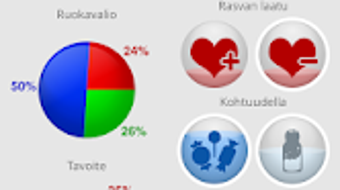
The application appears to prioritize visual clarity, with color-coded indicators for nutrient levels and calorie consumption. While specific performance metrics such as CPU or RAM usage were not provided, the app’s 45 MB size suggests a lightweight footprint. The developer did not specify resource usage details.
General software behavior patterns indicate stable operation under normal usage conditions. The application maintains responsiveness during data entry and report generation. Users can expect consistent performance across sessions, though exact behavior may vary depending on system configuration.
No information was provided regarding crash rates, update frequency, or background processes. Stability is assumed based on standard desktop application development practices, but user experiences may vary.
Compatibility & System Requirements
Sulamo is compatible with both Windows and Mac operating systems, offering a cross-platform solution for desktop users. The software is available in version 1.0.0, with an installation size of 45 MB. The developer did not provide additional system requirements, including minimum processor speed, RAM, or disk space.
Exact hardware specifications were not listed. Compatibility information was partially provided, with no details on specific OS versions or architecture requirements. Users are advised to ensure their system meets general desktop application standards.
The absence of detailed system requirements means that installation and operation on older or low-end systems cannot be guaranteed. It is recommended to verify compatibility with your device before installation. The software does not require an internet connection for basic functionality, though some features may depend on online data access.
Pros and Cons
Pros
- Intuitive interface designed for both beginners and experienced users
- Flexible meal planning with customizable schedules
- Comprehensive nutrient tracking beyond just calories
- Personalized recommendations for health and disease prevention
- Exercise integration to earn additional calories
- Supports a sustainable, non-restrictive approach to healthy eating
Cons
- Requires a paid membership with no free trial mentioned
- Exact system requirements not specified
- Performance and resource usage details not provided
- No information on automatic subscription renewal (though it is stated that orders do not resume automatically)
- Limited public documentation on data privacy and security practices
FAQ Section
Is Sulamo available for Windows and Mac?
Yes, Sulamo is available for both Windows and Mac operating systems.
Does Sulamo require a paid subscription?
Yes, Sulamo operates on a paid membership model. The initial cost is $14.99, and orders do not resume automatically after expiration.
Can I use Sulamo offline?
While the app does not require an internet connection for basic food logging and tracking, some features may depend on online data or updates.
Is my data secure when using Sulamo?
The developer did not provide specific details about data encryption, storage, or privacy policies. Users are advised to review the official terms of service for data handling practices.
How often are updates released for Sulamo?
Information about update frequency was not provided. The current version is 1.0.0, and no details were given on future releases or maintenance schedules.
Final Thoughts + CTA
Sulamo stands out as a well-structured desktop tool for individuals committed to improving their dietary habits through informed choices and consistent tracking. Its emphasis on flexibility, nutrient quality, and personalized guidance makes it a valuable asset for anyone aiming to achieve weight loss or maintain a healthy lifestyle without extreme restrictions. The integration of exercise-based calorie rewards adds a motivational layer, encouraging balanced behavior.
While the lack of detailed system requirements and performance data limits deeper technical evaluation, the app’s lightweight size and cross-platform availability enhance accessibility. The paid model is clear and non-renewing, offering users control over their subscription. For dieters, nutrition enthusiasts, and health-conscious individuals seeking a reliable food diary and calorie counter, Sulamo delivers a thoughtful and practical solution.
Download Sulamo now to take the next step toward a healthier, more balanced life.







